What it is like to be in a Whisper group

A group has text channels and voice rooms, replies, polls, files and direct messages. Every person in it is a ghost drawn from their identity.

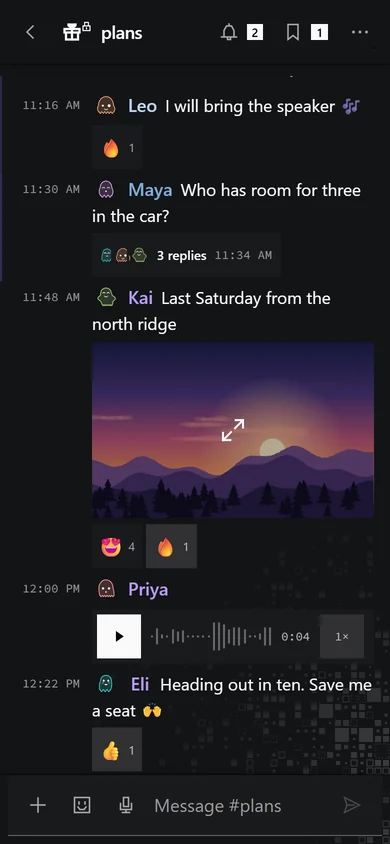
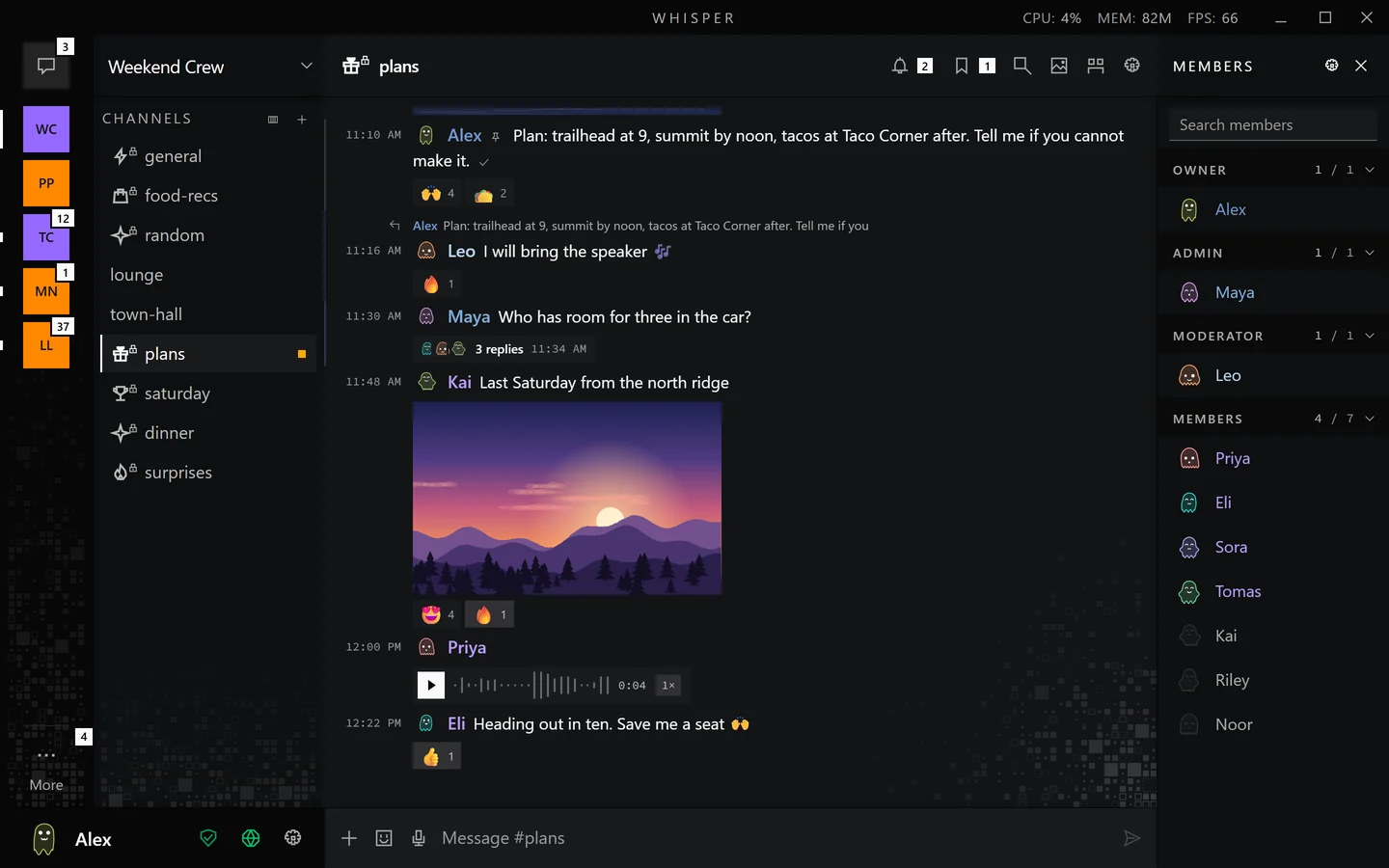
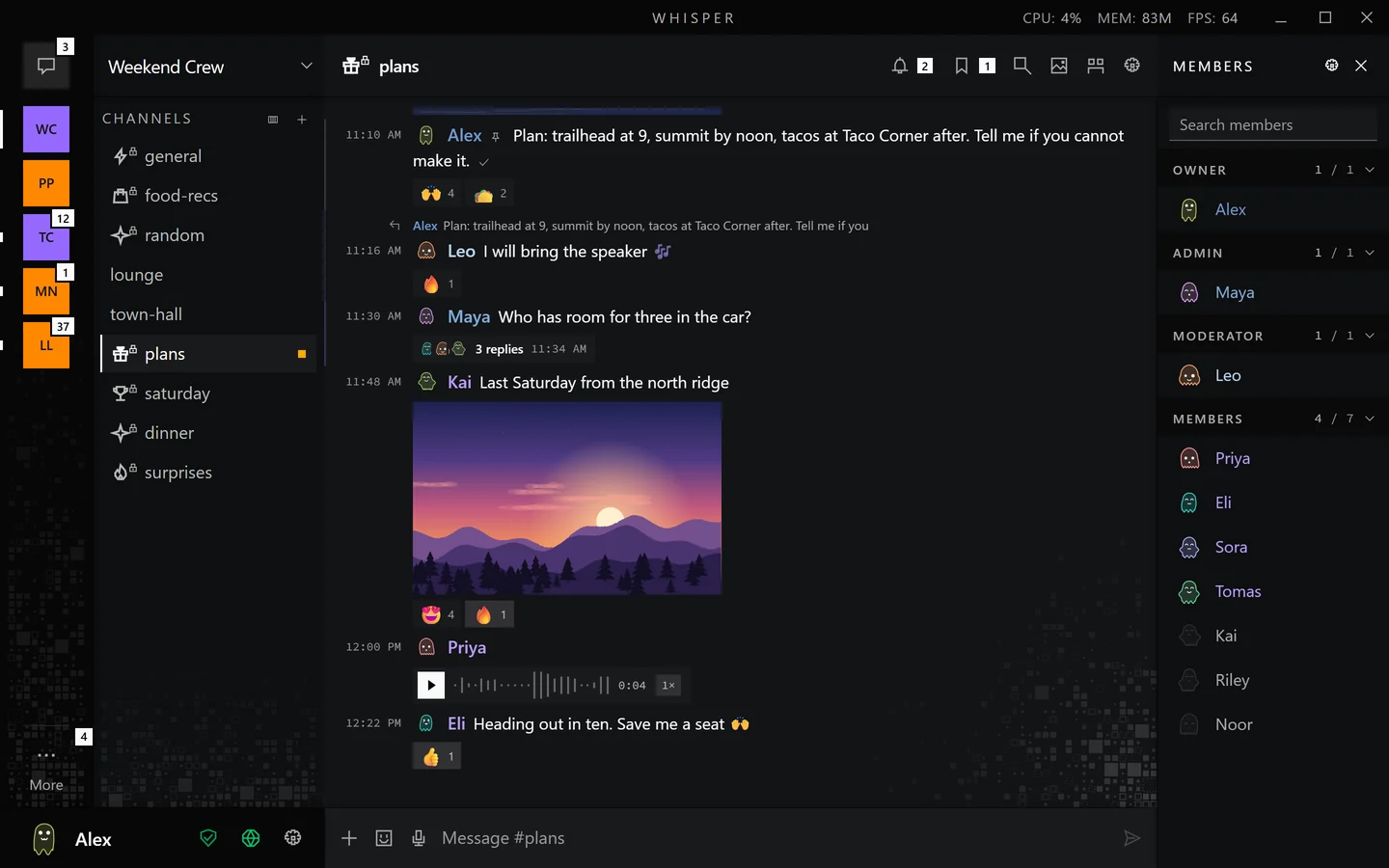
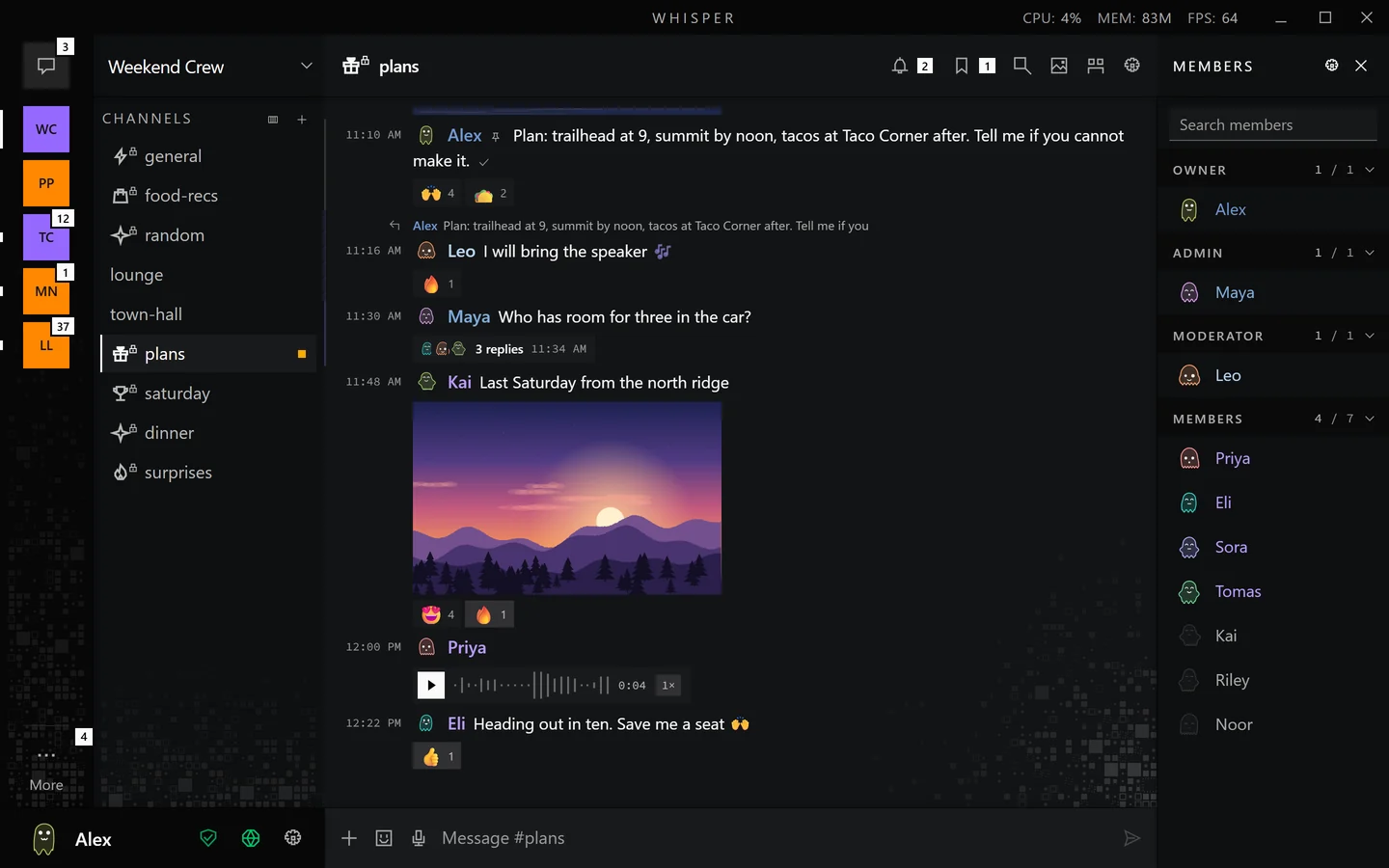
The plans channel in the demo group Weekend Crew: a pinned plan, reactions, a reply, a thread chip, a picture and a voice message. The same plans channel on a phone.
The plans channel in the app's demo group, Weekend Crew.
The member list of Weekend Crew, grouped under Owner, Admin, Moderator and Members.
The member list, grouped by role.

Channels, voice rooms and roles

  • A group holds up to 64 channels. Each one is text or voice.
  • A channel is open to every member, or closed to the roles and members you choose. The group owner does not read a closed channel unless chosen.
  • A group starts with its owner and a Member role, and you add roles you name, such as Admin or Moderator. There are 13 permissions to give them, among them sending, inviting, pinning, muting people in voice and moderating messages.

Invite people by link, QR code or spoken code

  • An invite link expires after 1 hour, 24 hours, 7 days, 30 days or never, and can be limited to a number of uses.
  • A link invite also shows as a QR code.
  • A spoken code is for reading aloud. It works once, and it expires after 10 minutes.

3604-ancient-almighty-blockade

A number, then three words: one from the even list, one from the odd list, one from the even list. The number comes from the relay.

A staged code in the real format. It opens no group.

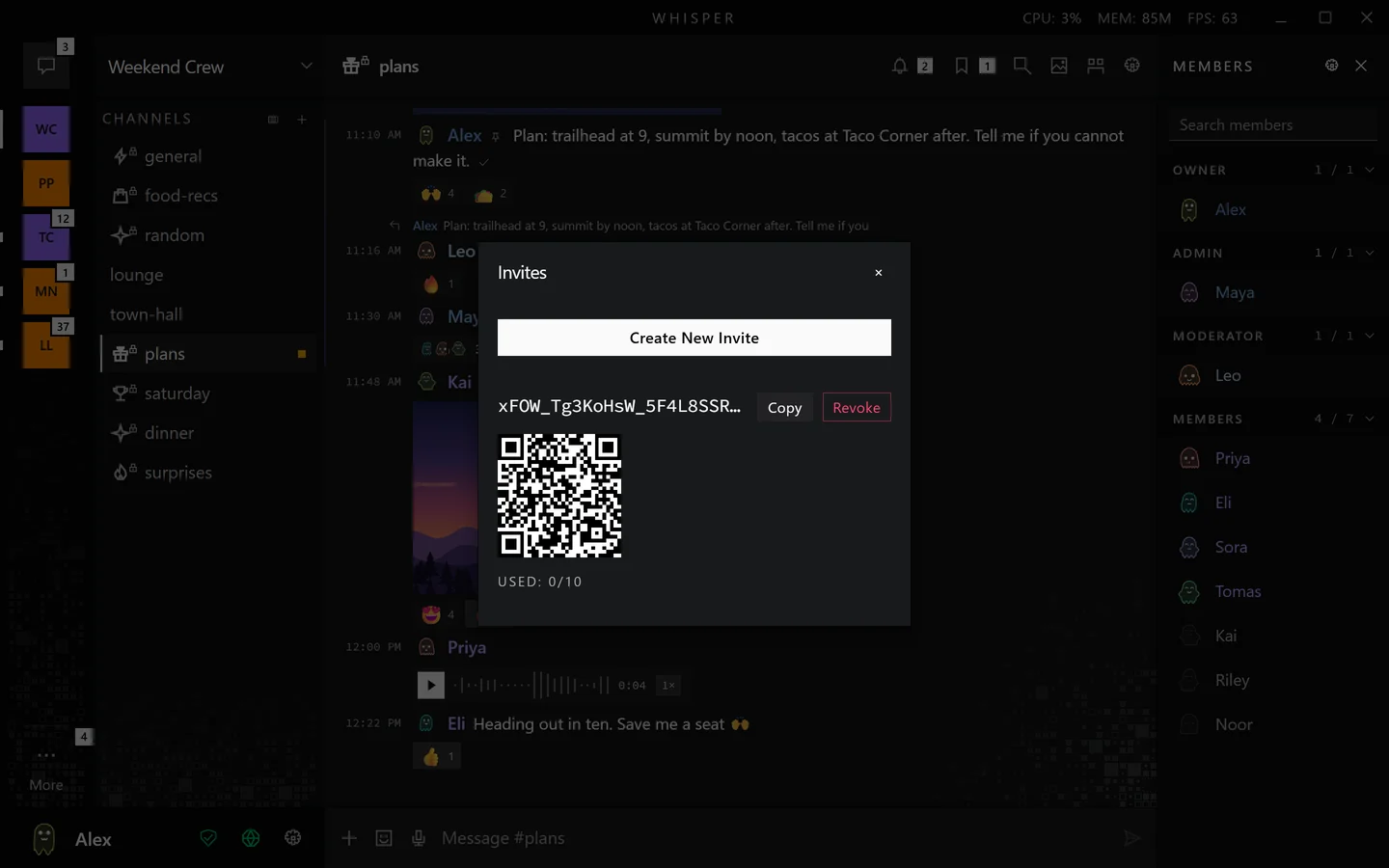
The Invites dialog with a code, Copy and Revoke buttons, a QR code and the line Used: 0 of 10.
An invite with its QR code, in the demo group.
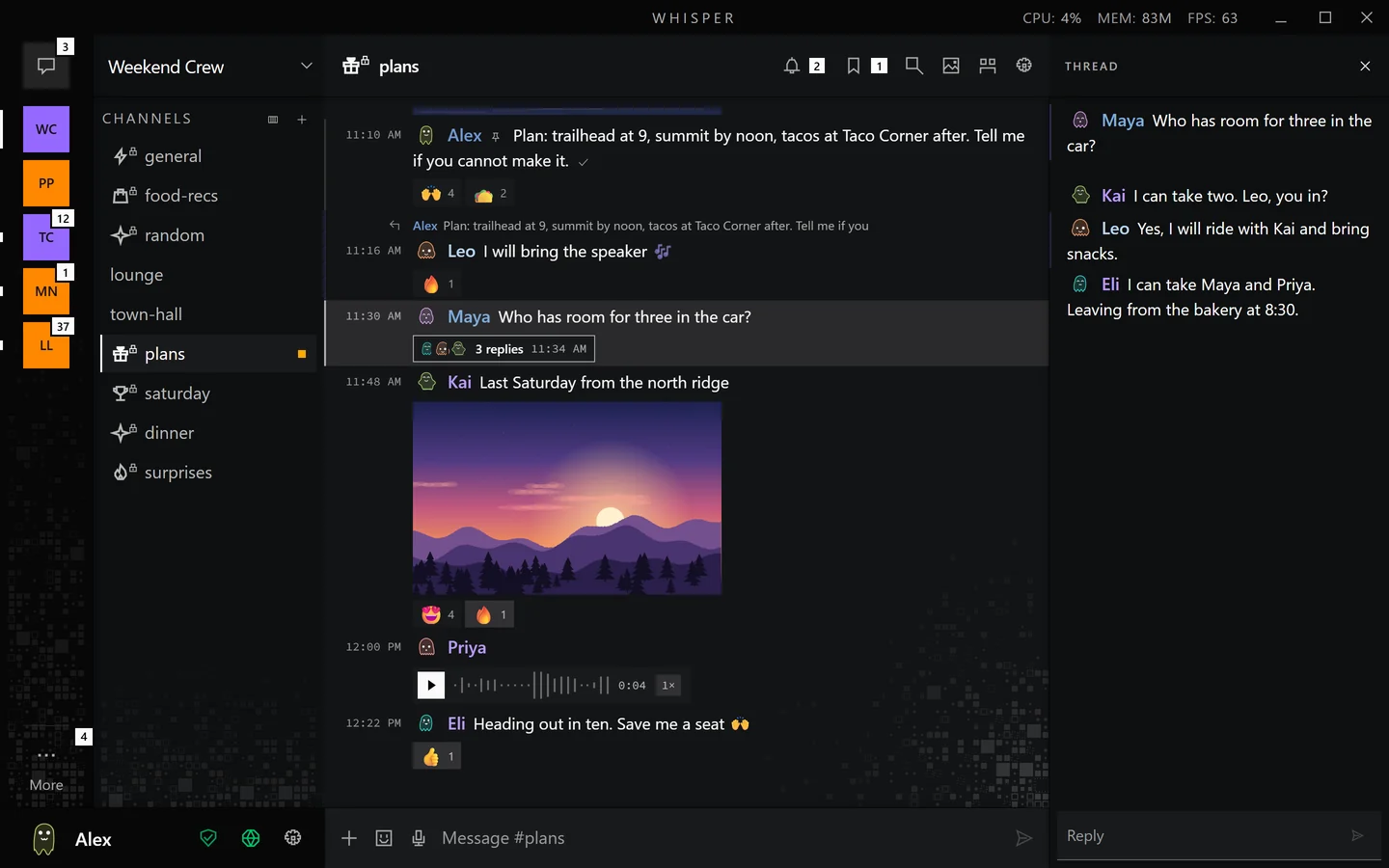
A thread open beside the timeline in the plans channel, with three replies.
A thread open beside the channel.

Replies, threads, reactions and pins

  • Reply to a message, or reply in a thread and the replies gather under it with a count.
  • One message holds up to 20 different emoji reactions.
  • Pin a message to keep it in a list for the channel. Authors edit and delete their own messages, and members with the moderate permission delete others in a group.

Your ghost reacts when you do

When you react to a message in the app, your own ghost plays a mood that matches the emoji, and the people in the conversation see it. Press a reaction on this message and watch your ghost.

juniper8:41 PM

Movie night at mine on Saturday?

Your ghost

A staged message.

Polls, events and checklists

Which film first?

    Votes are visible to the group. Choose one.

    A staged poll.

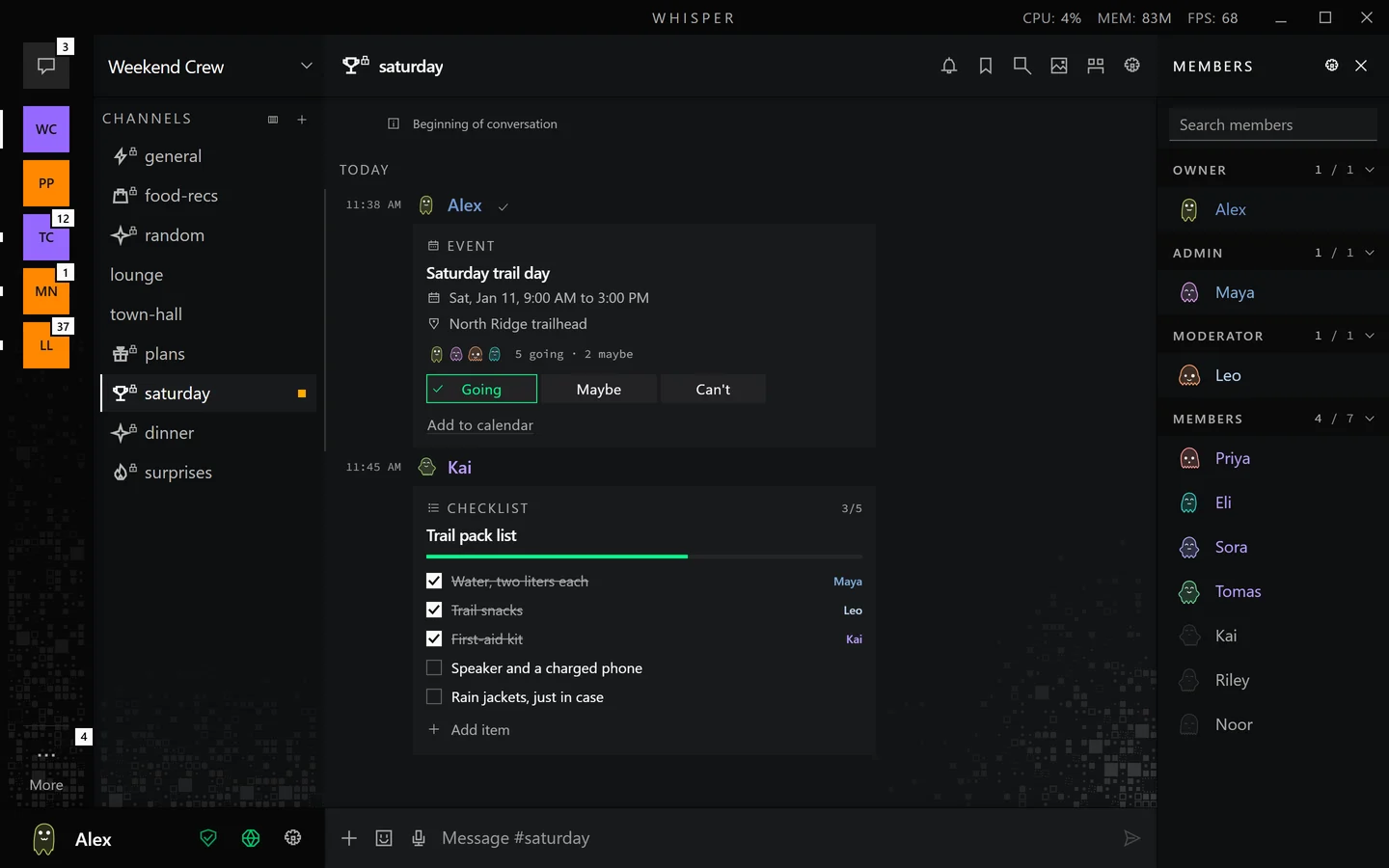
    An event card with going, maybe and can't answers and a shared packing checklist, in the saturday channel.
    An event with answers and a checklist the whole channel shares.

    Secret messages

    A secret message shows its label to everyone in the conversation. Its text stays hidden until you tap Reveal. The sender can set it to disappear after 1 hour, 1 day or 7 days, and the text can be up to 16 KiB.

    Secret Door code for Saturday

    A staged secret message.

    One tap on a sealed secret in the app.

    Files, pictures, video and voice messages

    • A file can be up to 2 GiB. Any member who holds it can serve it, so it loads while the sender is offline.
    • A voice message records for up to 5 minutes.
    • Pictures, video and audio open in the message.
    A picture and a voice message with its waveform in the plans channel.
    A picture and a voice message with its waveform.
    Joining the lounge voice room in the demo group.

    Voice rooms and calls

    • A voice room takes up to 8 people. You can also call a contact from a direct message.
    • Talk with push to talk or leave the microphone on.
    • Whisper does not cancel echo or background noise yet, and the app asks you to use headphones.

    Direct messages and verifying a contact

    • Start a direct message from a contact link or QR code, or press Send DM Request on a member's profile. The other person accepts first.
    • Who may ask is your choice: Open, Group Only or Closed. Basic setup leaves it Open, and Advanced setup starts on Group Only. With Group Only, a request from someone outside your groups is rejected without telling them.
    • To verify someone, both of you open Verify Identity and compare the same safety number.
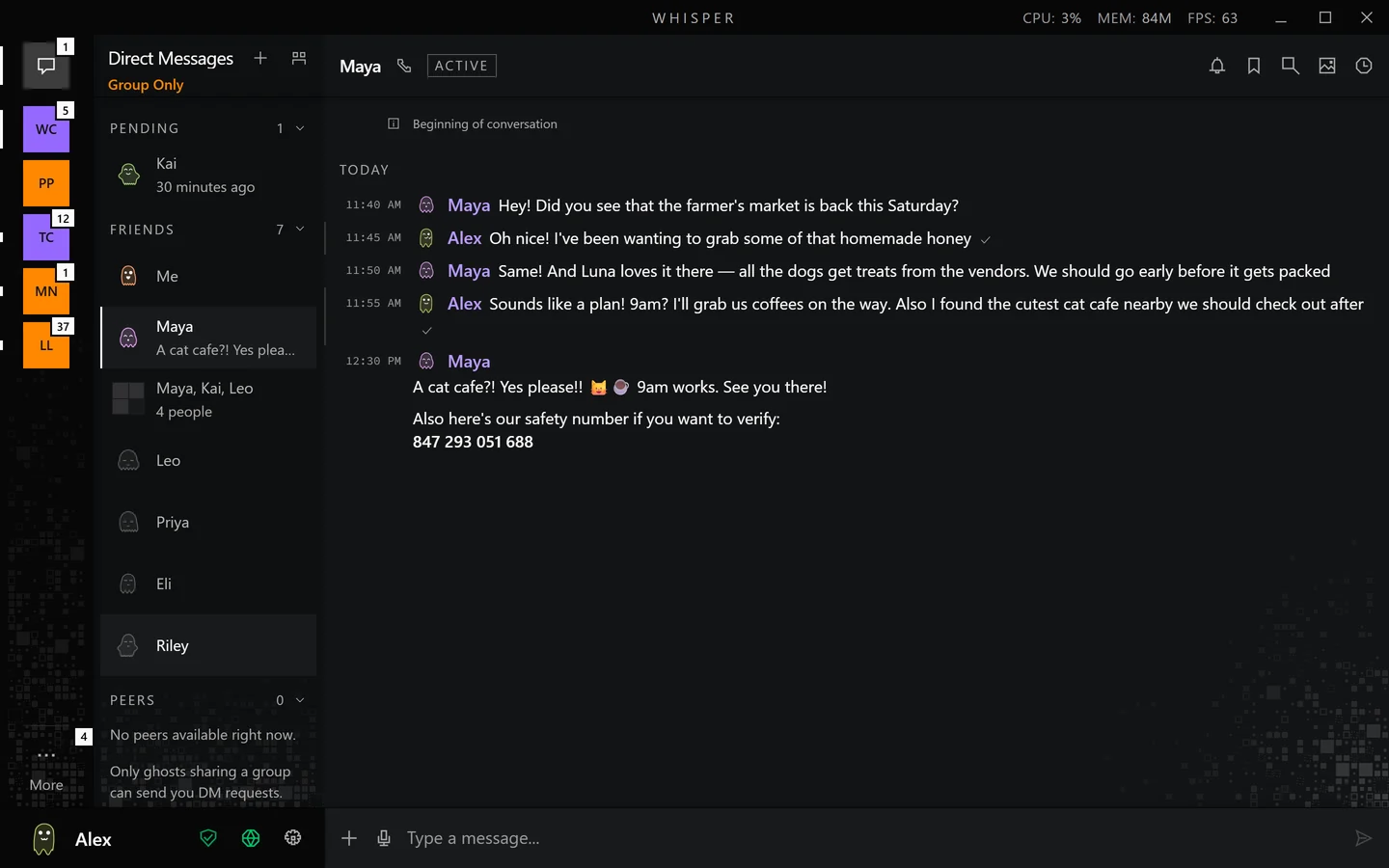
    A direct message with Maya, a verified contact, in the demo data.
    A direct message with a verified contact.

    Every person is a ghost

    A ghost is drawn from a person's identity, so nobody has to upload a picture and the same person looks the same on every device. Someone who wants a picture can upload an avatar, and whether you see custom avatars is your own switch. Anyone can pick a colour in the app, and the people they talk to see it.

    wren

    The same ghost at the sizes the app draws

    • 48
    • 34
    • 28
    • 22

    The app plays a mood from 23 px up, so the smallest one stays still.

    A ghost looks sleepy when its person is away or idle, and grey and still when they are offline.

    Your own ghost in the app turns its eyes toward the pointer. Other people's ghosts are pictures that play moods.

    The colour picker in the app: drag the hue, choose a tone.

    Presence, typing indicators and read receipts

    In a new vault all three start on. Each one has its own switch in Settings, under Privacy.

    Presence shares your status with your groups. Typing indicators show that you are typing. Read receipts show a sender that you read their message.

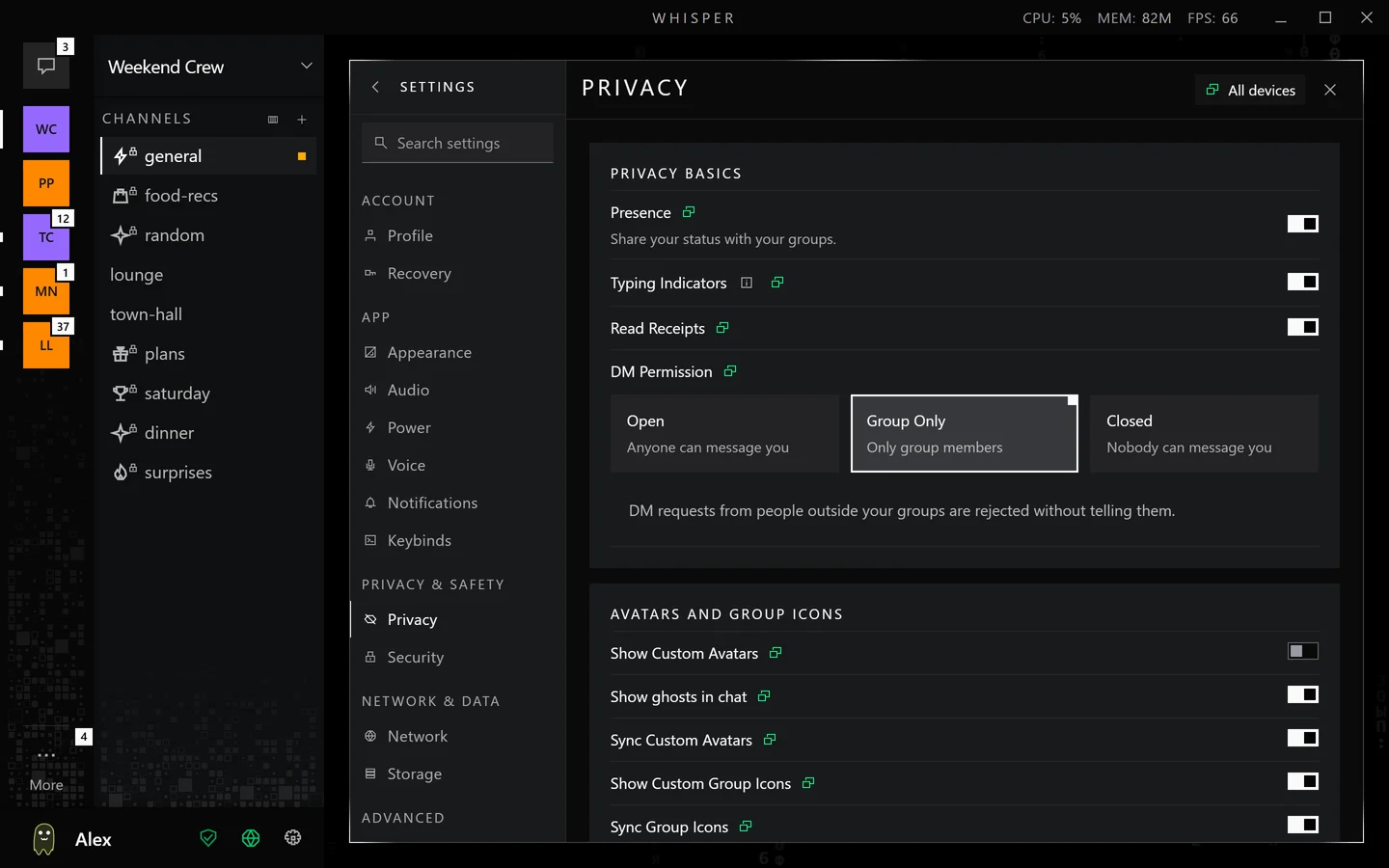
    Settings, Privacy: switches for Presence, Typing Indicators and Read Receipts, all on, and the DM Permission choice.
    Settings, Privacy.

    One ghost on several devices

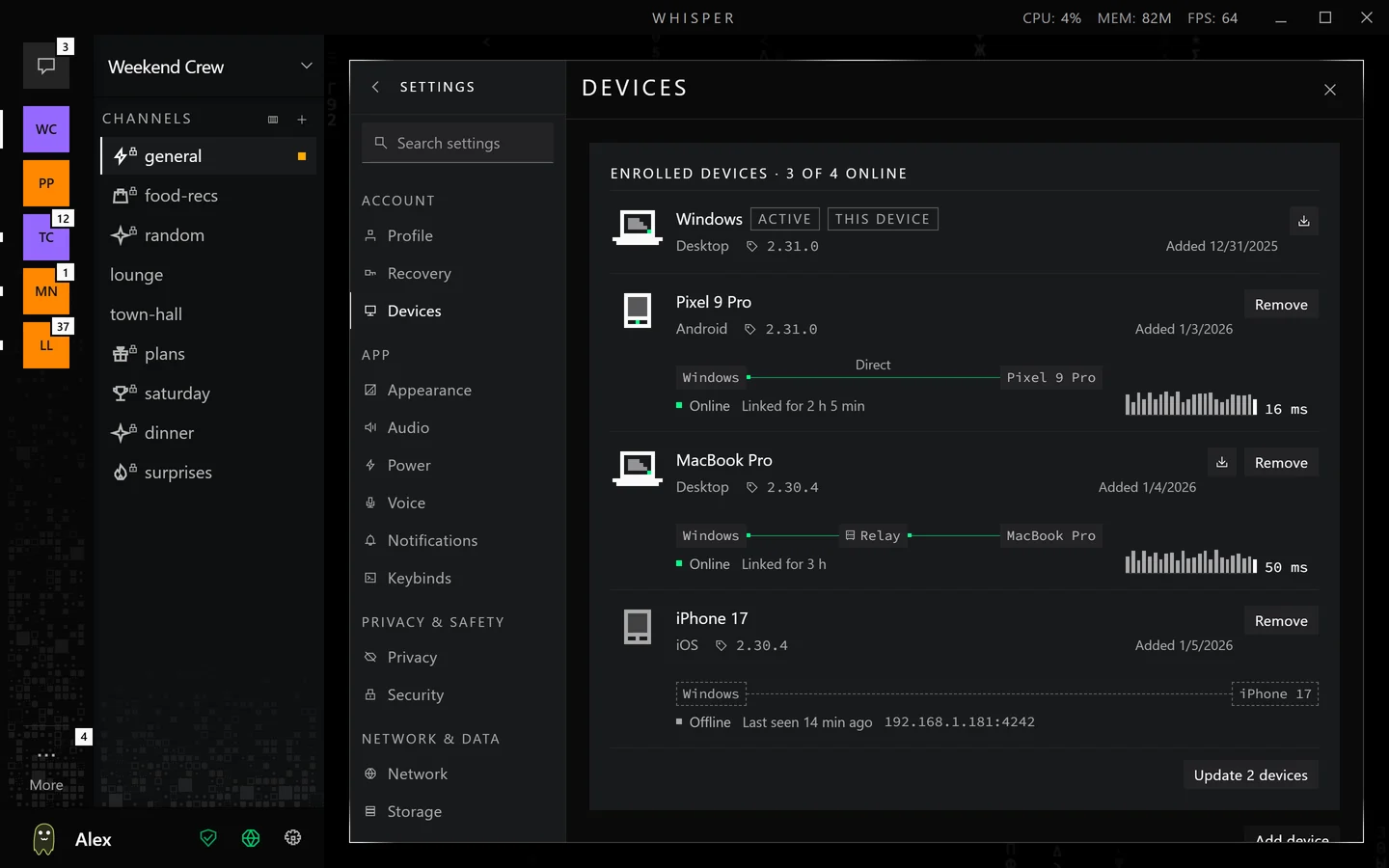
    Add a second device to your ghost with a link or a key and matching codes. One device is the active one and talks to your groups. The others keep the same content, and what you send from one of them goes out through the active device while the two are linked. You can take over from a device that is lost or broken.

    Settings, Devices, listing the devices that share one ghost.
    Settings, Devices.
    Switching from Ink to Paper and back.

    Notifications, themes and language

    • A notification shows nothing, names, or names and text, as you choose. Names and text stay in your system's notification history, outside Whisper's vault, and Hidden keeps them out. You can mute a direct message or a channel, and set a group to mentions only.
    • Themes are Ink, Graphite, Paper and Auto, which follows your system: Ink at night, Paper in the daytime.
    • The app is in English and Spanish.

    Agents in your group

    A person in your group can run a program of theirs as a member. It joins like anyone else, with its own identity and the same encryption, and it can read and answer in the group or in a direct message. Give it a role named Agent, and in chat and in the member list it is drawn as a robot instead of a ghost.

    Its group messages stay quiet. They raise no badge or notification unless they mention you or reply to you, or you turned Quiet agents off for that group. The group's owner sets a rule for whose messages its agents act on, and when: everything, mentions or nothing. The agent's own app applies that rule.

    How an agent connects
    A staged exchange. scout is a made-up agent. Headless Whisper has no audio, so an agent cannot speak in a voice room.

    Get Whisper and join a group